Free Tools
IDIFO’s five free tools fall into two groups. Modelhane doesn’t process images: it turns the model you pick from an AI model roster into production code, and it is limited to three codes a day. The other four process files — they measure, clean up and cover up; your photo never leaves your device, and there is no quota and no sign-up. All five run in your browser, and you can use the results in commercial work.
Modelhane — an AI model roster
“I don’t have a product shot. How do I create an image with a model?”
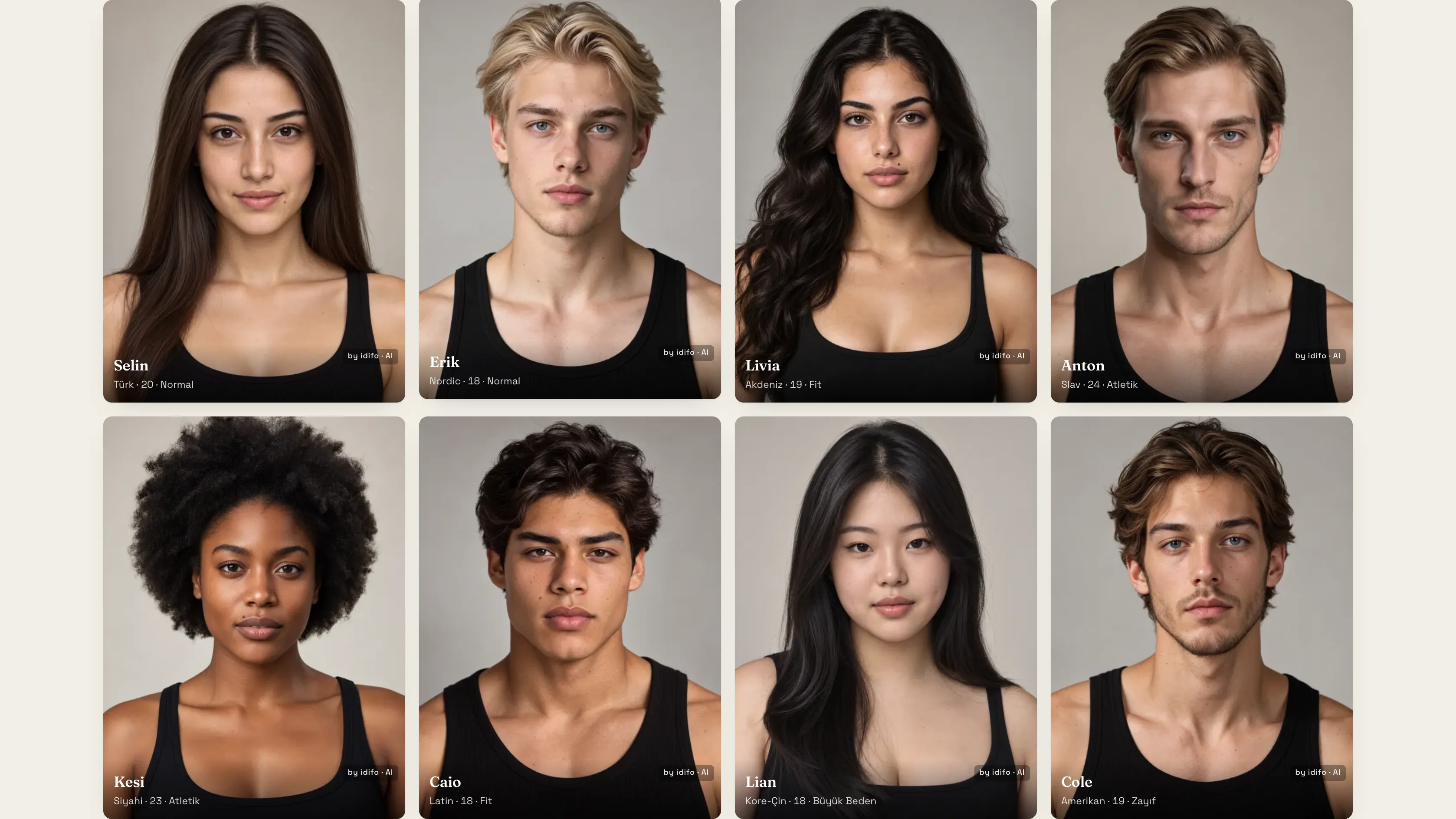
If you don’t have a product shot, this is where you can start without a shoot: a roster of 130 models. You pick a model and set the outfit, the pose and the format; the panel gives you production code that locks in that model’s identity.
The panel itself doesn’t create images. You paste the code into the image generation tool you use, such as ChatGPT or Gemini; what keeps the face the same in every frame is the fixed identity description the code carries.
Limit: you can copy three codes a day, the allowance renews every 24 hours, and the count is kept per device.
Four tools that process the image you already have.
Open the one closest to your question.
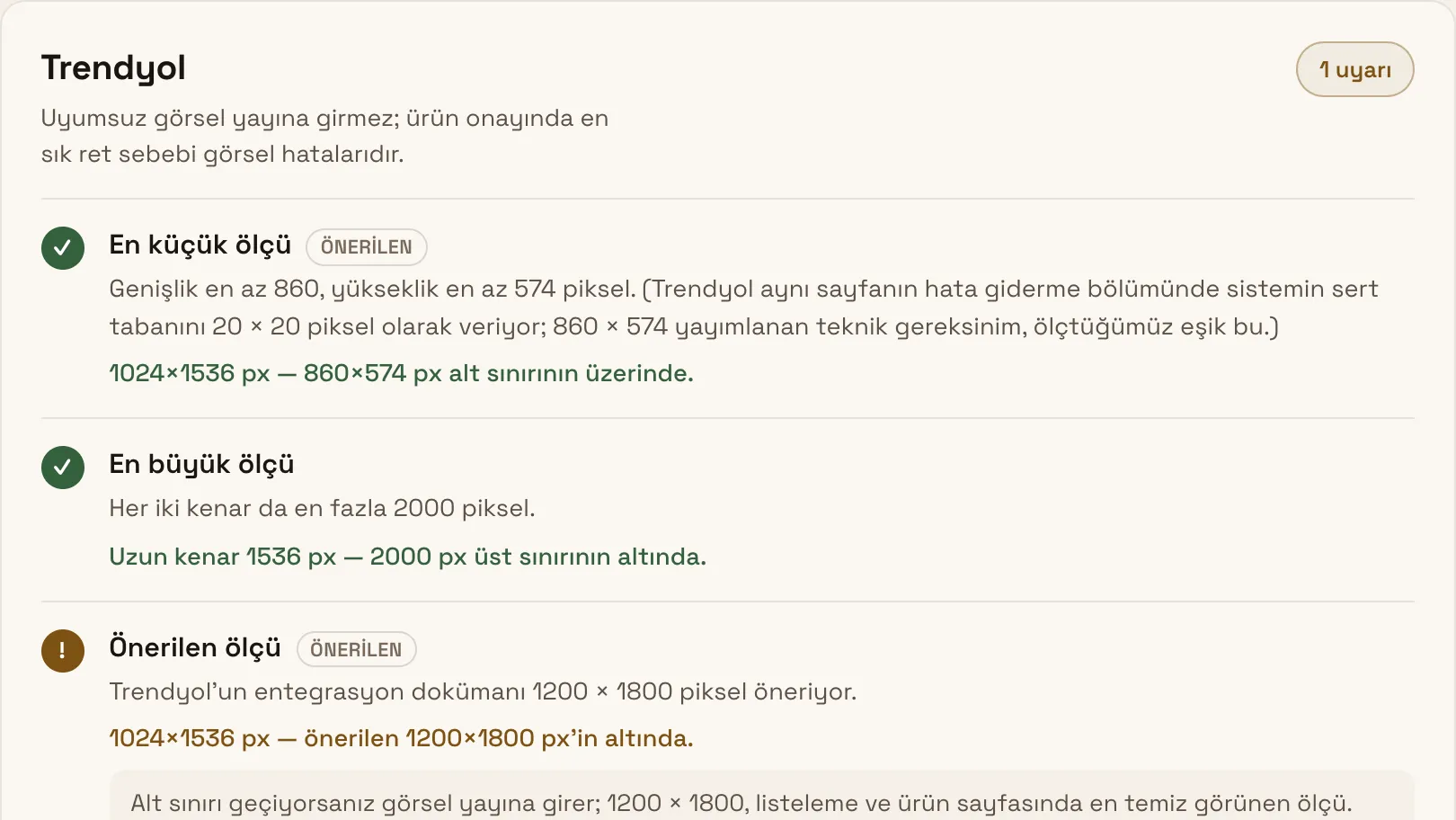
Marketplace Image Checker
“Will this image be accepted by Trendyol and Amazon?”
Resolution, ratio, format, size, background and product fill are measured against the published requirements of two marketplaces. It doesn’t fix anything — it tells you what fails.
Open the tool →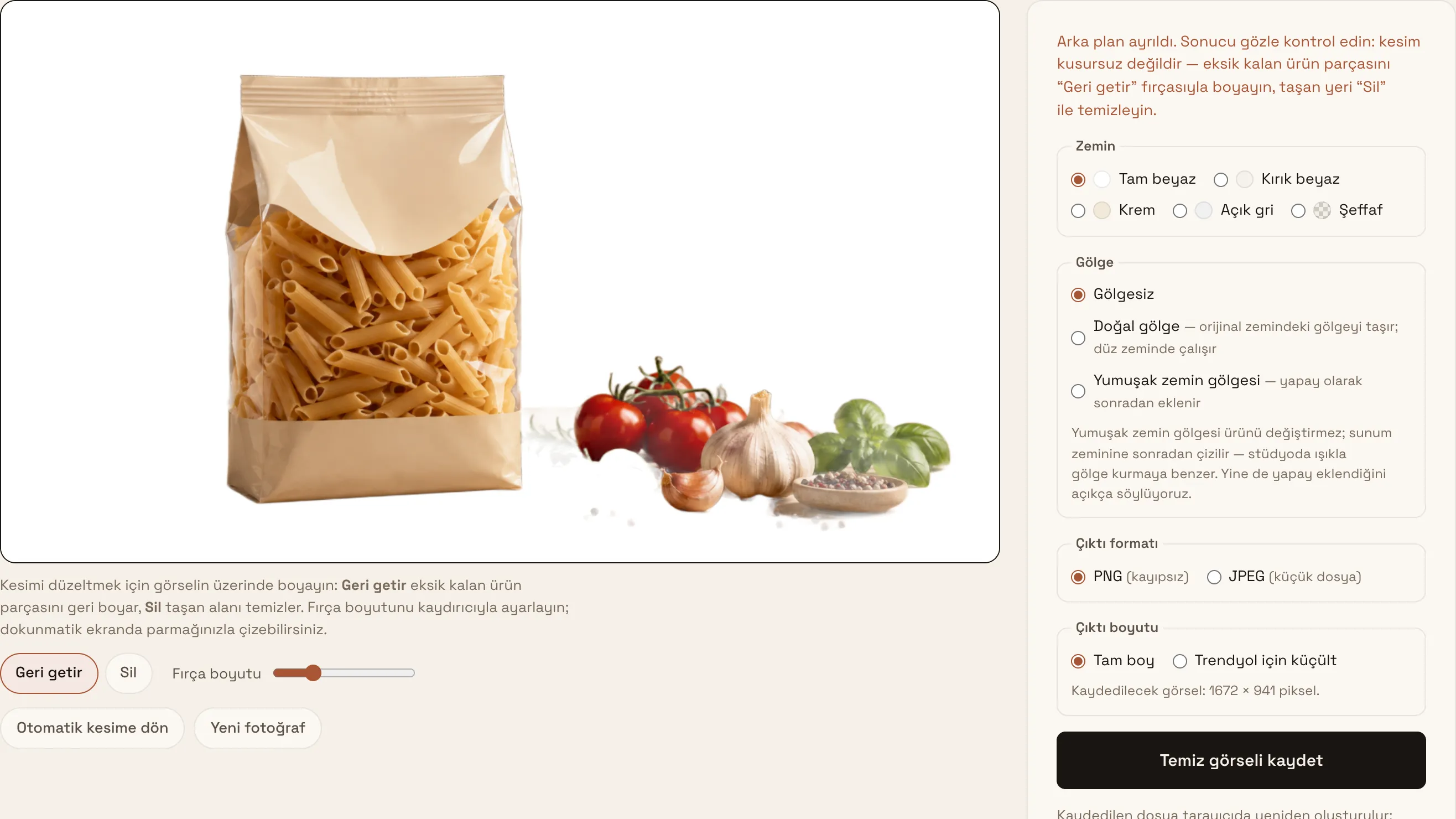
Product Background Remover
“Can a product shot I took on a table sit on a clean background?”
The product is separated from its background and placed on the white tone you choose or on a transparent background; you restore any missing parts with a brush.
Open the tool →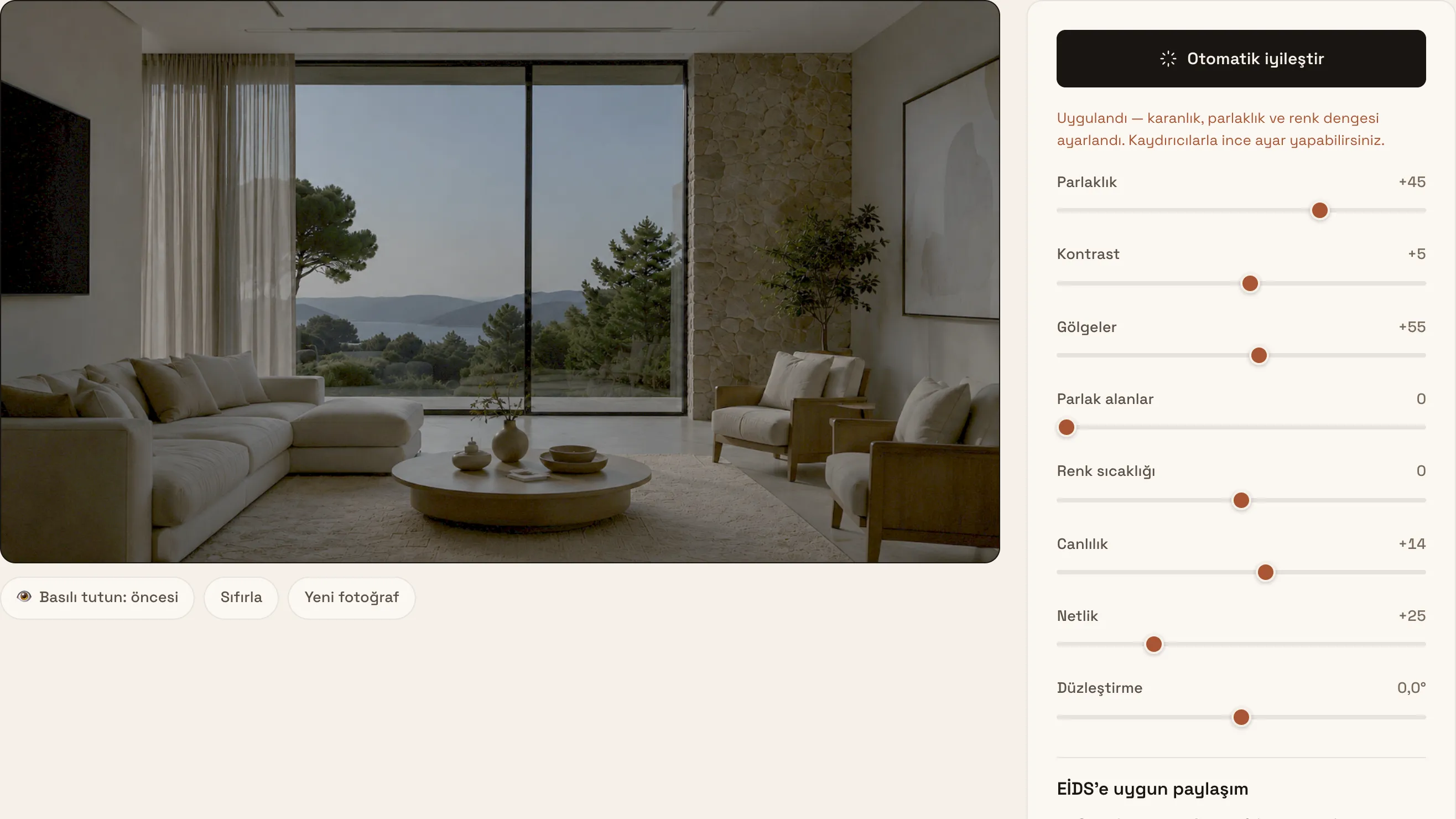
Real Estate Photo Assistant
“Can a listing photo that came out dark be made ready to publish?”
Shadows are lifted, blown-out highlights are recovered and color balance is corrected; you fine-tune with sliders. The download comes without location (GPS) data.
Open the tool →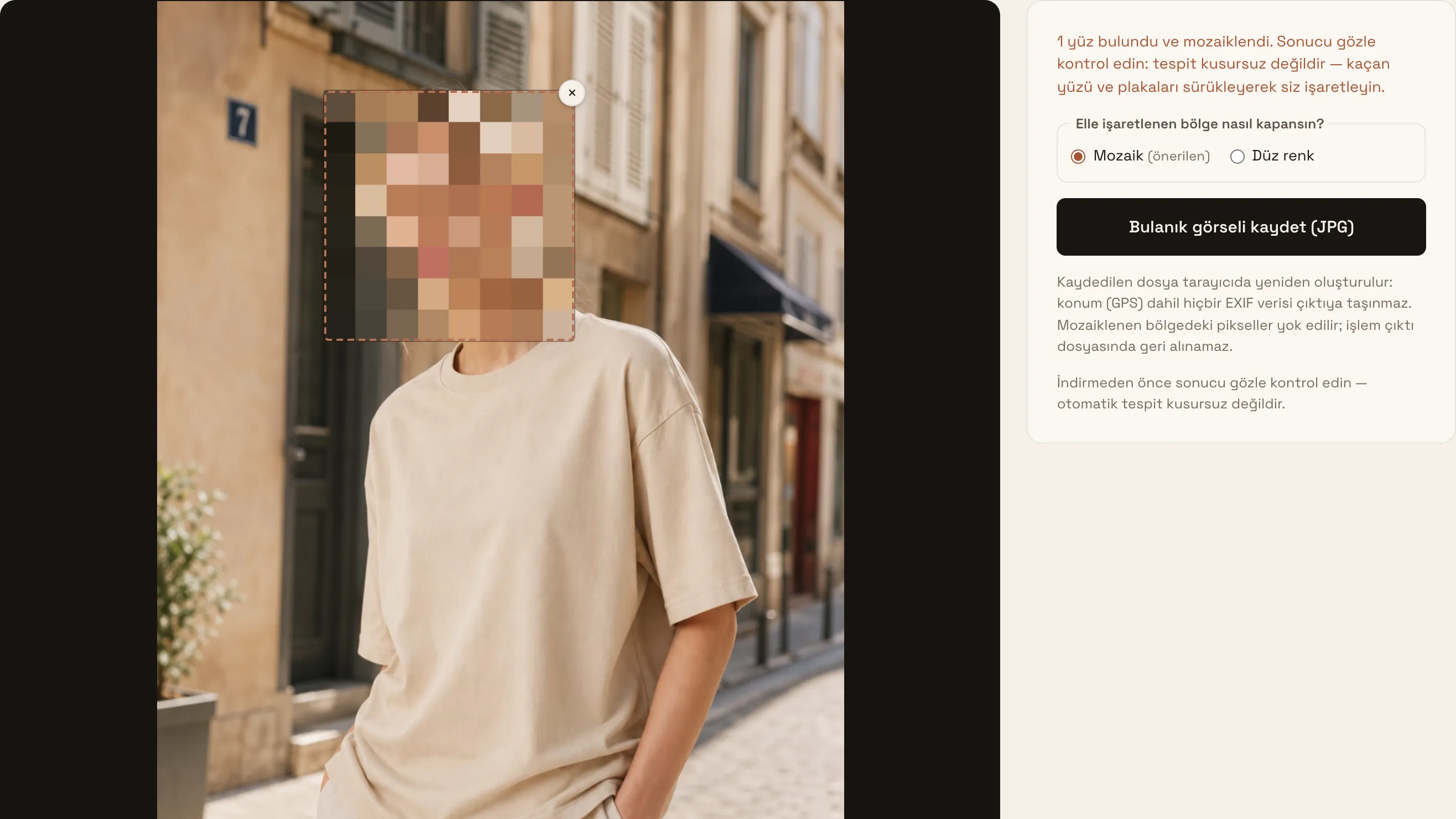
Face and License Plate Blur
“How do I hide a person and a license plate in the frame before publishing?”
Faces are detected automatically and pixelated; you mark missed areas and license plates by hand. The mosaic can’t be undone, and no EXIF/GPS data is carried into the output.
Open the tool →Why do the file tools run in your browser?
The files these four tools handle are in their most sensitive state: a product shot not yet published, the face of a third person caught in the frame, the location data a phone embeds in a photo. Because measuring, cutting out and pixelating can all happen on the device, the file never leaves the browser, and no copy or record is created on our side. Showing a third person in an image is a separate legal matter: our article on third parties in commercial photos covers that framework, and the one on privacy and KVKK (Türkiye’s data protection law) covers location data.
Yerli ve Milli: Nehir Akını
Not a tool but a game: a 30-level river mission flown with aircraft inspired by KAAN and HÜRKUŞ. Play alone or online with a friend; it opens in your browser, with nothing to download.
Frequently asked questions
Which tool should I use, and when?
No product shot but you need an image: Modelhane. A product shot taken on a table that needs a clean background: Product Background Remover. A dark listing photo: Real Estate Photo Assistant. A person or license plate in the frame: Face and License Plate Blur. Measuring before upload: Marketplace Image Checker. None of the five replaces another.
How do I use the five tools together?
Modelhane comes first: take the code and create the image in your own image generation tool. The rest is file work: run it through Background Remover or Real Estate Photo Assistant, apply Face and License Plate Blur if a person or plate is still in the frame, and finish with Marketplace Image Checker so it sees the final version.
When you say free: is there sign-up, a quota or a watermark?
None of the five asks you to sign up, open an account or leave an email address. No watermark is added, and results can be used in commercial work. Only Modelhane has a quota: three codes a day, renewed every 24 hours, counted per device. The four file tools have no counter; the only limit is your device’s power.
Is a copy of the file I download kept on your side?
No. The file goes to your browser’s downloads folder, and no copy is created on our side — no account, no history, no record to delete. Only one thing crosses the network, in one direction: the two model-based tools (Background Remover, Face and Plate) download open-source model files from our server. Your photo never travels the other way.
Each tool’s own page has questions specific to that tool. Questions about how we work are on our frequently asked questions page.
Tools prepare a single frame; a catalog is a different job.
All five work on a single frame: one gives you the code, four process the file, and the production is up to you. When the number of products grows, when every frame has to share the same light and the same framing, or when you need the shoot itself, the production side takes over: shooting, preparation, AI-assisted production, and delivery in folders named by barcode.
Let’s talk about where the tools fall short.
Start with a single frame; for catalog scale, let’s plan shooting, production and delivery together.