Sharpening an Old Photo: The Machine Doesn't Repair, It Rebuilds
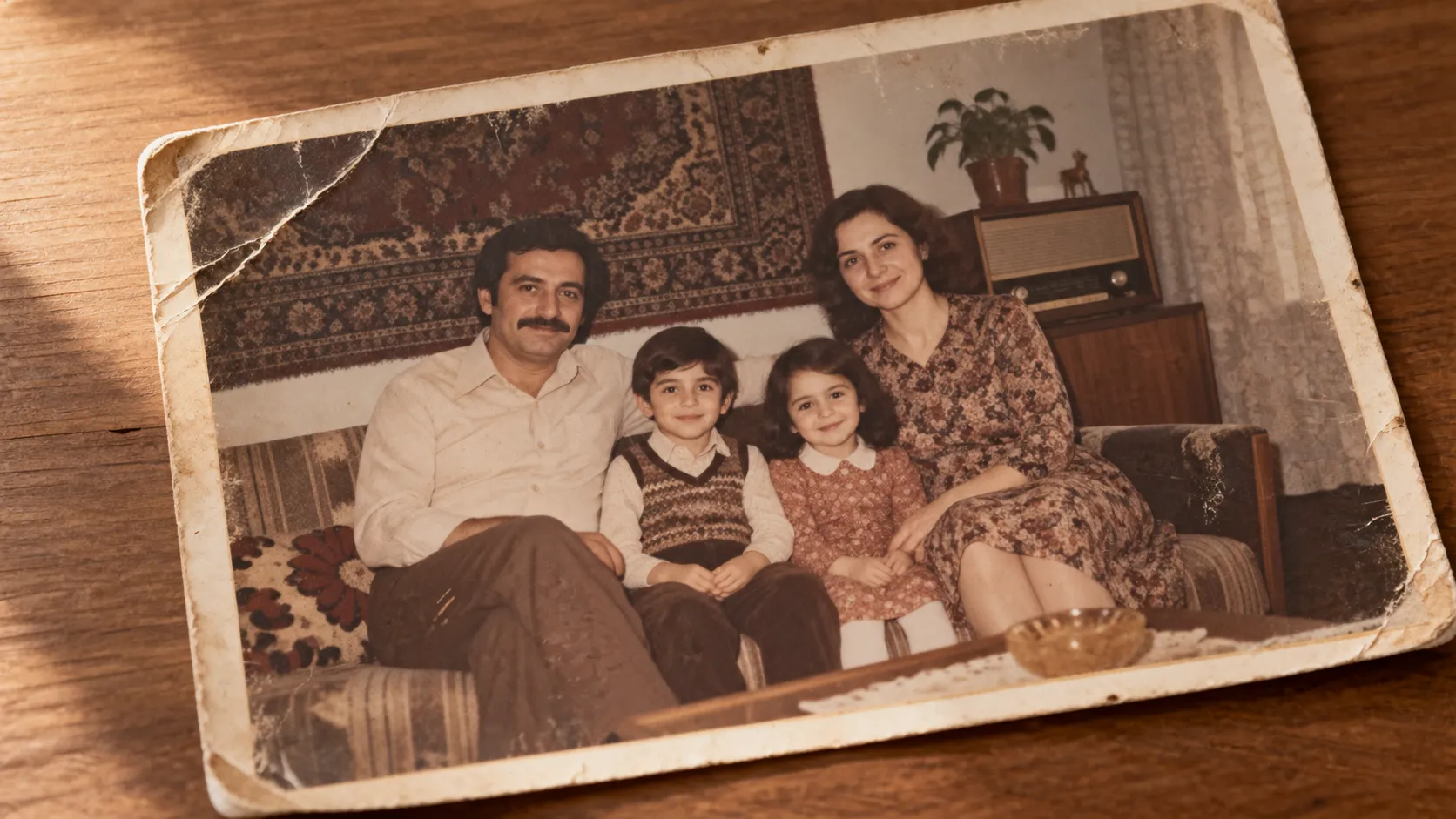
Created with the support of AI technologies.
Last reviewed:
When you enhance an old photo, AI doesn't bring back lost detail; it guesses. A blurry face's information isn't in the photo; the software fills that gap with faces it has learned. The result looks sharper, but the detail is generated, not measured. With a family photo, the goal isn't a beautiful frame but preserving that person.
What exactly does AI do to an old photo?
“Sharpening”, or old photo restoration as it is commonly called, is thought of as one operation; in fact, very different jobs sit under the same button. Telling them apart matters, because some are safe and some aren’t.
Cleanup. Dust, scratches, stains, a curled corner. Here the machine makes visible information that is already in the frame; it covers the damage using the intact pixels next to it. The risk in these three operations is low.
Tone correction. Restoring faded contrast, removing yellowing. This also works on measured data: the information the photo carries is rebalanced, nothing new is added.
Sharpening, upscaling and colorization. This is where the real issue lies. Sharpening a blurry photo doesn’t mean finding the missing dots, the pixels; it means generating plausible pixels. Colorizing a black-and-white photo is the same. The most-cited colorization study in this field states its aim plainly: the goal is not to find the true color but to produce a plausible colorization that could fool a human.
Repair — already in the frame
- Removing dust, scratches and stains
- Restoring faded contrast
- Straightening a skewed scan
- Cropping a torn edge
Existing information is made visible.
Reconstruction — generated now
- Sharpening blurry facial features
- Filling in a missing area
- Colorizing a black-and-white frame
- Upscaling the resolution
The detail has no counterpart in the original.
One question: was this detail already in the frame, or was it generated just now?
The left column is generally safe. The right column is where you need to be careful with a family archive, and unfortunately it’s also where the thing people want most sits: seeing grandfather’s face clearly.
Why might the sharpened face not be the same face?
The people who say this most clearly are the researchers who build these models.
PULSE, developed at Duke University in 2020, was one of the first popular programs for sharpening pixelated face photos. In June 2020, when users fed it a pixelated portrait of Barack Obama, the software produced a face with white skin. The same thing happened again with photos of other well-known people. The software wasn’t malicious; it was simply producing the average of the faces it had learned.
What really matters is what happened next. The researchers added a “bias” section and a cautionary note to their paper. The note says that the software generates imaginary faces of people who do not exist; these faces should not be mistaken for real people, and the software does not help reconstruct the original image. The same paper explains why: the information needed for the detail is often not present in the blurry photo, so it has to be filled in by imagination. In other words, the warning was written after the work had already become public.
The math says the same thing. The paper for CodeFormer, one of today’s most widely used face restoration programs, writes that a blurry photo has infinitely many plausible sharp counterparts. The PULSE paper shows the same thing from the other direction: sharp photos that are visibly different from one another turn back into the same blurry photo when downscaled. So there is no single result that is “the right answer”. CodeFormer also admits its own limit: identity inconsistency has been reduced, but still exists in some details. GFP-GAN, another widely used program, writes in its own paper that skin color can shift when the input photo is black and white, which is exactly the most typical state of old photos.
In practice this means the sharpened face is not your grandfather’s face but an average that resembles him. The spacing of the eyes, the line of the nose, the set of the smile: the small details that make the person you knew who they were can drift.
One detail matters: these warnings sit in the “limitations” section of the papers or in the footnotes of developer pages. They don’t appear on the screen the end user sees. The user doesn’t read the warning; they just see the “enhance” button.
What they should see actually exists somewhere. CodeFormer’s public demo page has a single slider, and its label says, in effect, that zero means better quality and one means better resemblance. In other words, the software states in the middle of the screen that the price of higher quality is giving up resemblance, and leaves it to you which way to move the slider.
The people who sell these tools end up in the same place. The head of Topaz Labs, which makes image enhancement software, says they are strongly against forensic and medical uses, and adds that the result may no longer look exactly like the person and will not be faithful to the original.
One court reached the same conclusion. In 2024, in a murder case in Washington state, a video “enhanced” with AI was rejected as evidence; the prosecution’s forensic video expert said the software created false image detail and changed the shape and color of objects. Machines silently changing data is not unique to AI, either: in 2013 it came to light that widely used office scanners swapped digits in architectural plans with one another during compression, and the output looked flawless at first glance.
The clearest example is probably in your pocket. In 2023, a user displayed a blurred image of the moon on a screen and photographed it with their phone; the phone produced a sharp moon photo containing crater details that were never in the source. Samsung confirmed that the moon is recognized as an object (the recognition engine was trained on various moon images) and that a deep-learning-based “detail enhancement engine” then runs. The phone wasn’t measuring the moon; it knew what the moon should look like.
With a family photo, this difference has a name: improving a frame and changing it are not the same thing. We draw this line in the same place in our own work: we don’t change the property in a listing image; light is corrected, furniture that isn’t there is not added. “Improving” a face leads to the same door: what has been improved is no longer that face.
Why does a good scan matter more than the tool?
This section looks boring, but it’s where the biggest difference is made. Sharpening a blurry photo really starts here: the better the copy you give the AI, the less it has to invent. A bad scan forces the model to guess.
If you have a scanner, it’s the best option: lay the photo flat on the glass, set the resolution to 600 dpi (usually labeled “resolution” or “quality” on the scanner screen), and turn off the “auto correction”, “dust removal” and “sharpening” options. Those options are the scanner’s own guesses; you can add them later if you want, but if they are applied at the start you can’t undo them.
If you don’t have a scanner, a phone does a perfectly good job, as long as you watch four things:
- Let the light come from the side, not from above. By day, next to a window is best; a ceiling light leaves a glare in the middle.
- Flash off. Flash creates a white spot on glossy paper, and the information under that spot is lost completely. No tool can bring lost information back; it can only invent it.
- Photo on a flat surface, shot straight on. A photo shot at an angle gets blurrier toward the edges. Flattening a curled photo between the pages of a heavy book for two days does more good than any software.
- Take it out of a glass frame. Glass both reflects and softens.
When shooting with a phone, choose the highest quality in the camera settings; if your phone offers it, “RAW” capture keeps more information. This is our everyday work: the information a frame carries is set at the moment of capture, and afterwards it can only be managed. We write the same thing in our production principles: if the source is good, little intervention is needed.
Which tool should you choose, and which should you avoid?
First, a distinction: a site’s promotional copy describes not what the tool does but what it claims it can do. A sentence like “renew your old photo without loss” is technically impossible; lost information, by definition, doesn’t come back. When you see a headline like that, look at the sentence before you look at the tool.
Four things to check before trying one:
- What exactly does “free” cover? The most common pattern: sharpening is free, old photo restoration is paid. The home page of one site we checked for this article talked about old photo restoration from top to bottom. In its pricing table, however, the feature was marked “not included” next to the free plan. The second common pattern is a watermark: the output is free but stamped. Don’t decide without opening the pricing page.
- How does the subscription renew? Weekly-renewing subscriptions are common in phone apps. The weekly amount looks small; the annual total doesn’t show. If you’re going to subscribe for a single photo, read the cancellation terms before you subscribe.
- Where does the photo go? There is a separate section below; in short: if there’s an option that runs on your device, try it first for a family photo.
- What does the store data say? The download count alone means little; look at it together with the rating and the number of reviews. If there are very high downloads but few reviews that all sound alike, the two don’t add up; be suspicious.
By these criteria, these are the options we could verify for this article. None is presented as “saving your old photo”; each one’s limit is stated.
- The gallery app on your phone. Google Photos’ blur removal and enhancement tools don’t require a subscription, work in Turkish and are already on your phone. Their limit is clear: they are a sharpening tool, not a tool for repairing a damaged photo. For most people this is the right first step; if the result is good enough, there’s no need to go anywhere else.
- Upscayl’s desktop version (open source — upscayl.org/download). It’s free, needs no account, and the photo never leaves your computer: its own site says your data stays on your computer for good when you use Upscayl Desktop. It is also honest about what it does: its page says it enhances images by guessing what the details might be. It has three limits: it only upscales (the same company sells face restoration in its paid cloud version), it needs a dedicated graphics card, and in its own words it can’t remove blur, so if your photo is completely blurry, Upscayl isn’t the right tool for it. Go straight to the download page; the home page greets you with the cloud product.
- The limit of professional desktop software. Paying doesn’t solve this: according to the maker’s own documentation, Adobe’s most powerful enhancement features work only on camera raw files; on ordinary files such as the JPEG a scanned photo is saved as, they don’t kick in. What remains is only upscaling, which is the same job the free option does.
There’s a pattern in the list: face restoration is a much heavier job than upscaling. The programs that do it run large generative models, and what those models do is, by design, produce new images. In free web tools these models run on the server, which means your photo goes to the other side. There are versions that run on the device, but they either cost money or need a powerful graphics card; the free, local options don’t touch faces at all.
A final note: today many people have this done directly by a chat assistant (“sharpen this photo”). With most chat assistants, this is the path that invents the most: instead of examining the photo, the assistant looks at it and draws a new one. The result can be impressive, but what you have is no longer a scanned document; it’s an interpretation.
How should you keep the original?
Institutional archives have long known the answer to this question, and the rule is one sentence: the master copy is not touched.
The cultural heritage digitization guidelines of US federal agencies put this in almost stern language. Digitized material should document the state of the original at the moment it was scanned, not how it once looked. The same document lists the operations to avoid: colorization, digital fill, excessive sharpening, removing stains and scratches. Not even dust removal is allowed on the master copy; corrections may be made only on the access copy, and the fact that they were made is recorded first in the file metadata and, where there is a consistent naming scheme, in the file name too.
It’s easy to set up the same thing at home:
- Split the scan in two. One file name should say “original”, the other “enhanced”:
grandpa-1974-originalandgrandpa-1974-enhanced. Twenty years from now, the file name is the only thing that will tell you which is which. - Never open the original. Do all your work on a copy.
- Don’t treat the processed copy as a “document”. To prove who someone was, or when and where a photo was taken, you look at the original. An initiative working in genealogy puts it exactly this way: altered images should be treated as illustration, not evidence.
- Write down the story. Writing who is in the photo, the approximate year and the place in a text file next to it is worth more than any amount of sharpening. What gets lost over time is often not the image but the story behind it.
Is it safe to upload a family photo to an outside site?
First, let’s not exaggerate: none of the major services we examined has a plain clause saying “we train models on the photos you upload by default.” The risk sits in quieter places.
The law already protects you, until you upload. Article 28 of Türkiye’s Personal Data Protection Law (KVKK, Law No. 6698) excludes from the law’s scope the activities of a natural person relating to themselves or to family members living in the same home. But the exception has two conditions, and the first is this: the data must not be given to third parties. So fixing a photo of family members who live in your home on your own computer isn’t even a matter for the law (the exception goes only that far and does not cover other people in the frame); pressing “upload” is the move that takes you outside that exception.
The Guide on Generative AI and the Protection of Personal Data that the Personal Data Protection Authority published in November 2025 speaks directly to individuals and says the same thing: care should be taken not to share third parties’ personal data with these systems, because sharing people’s data without their knowledge can have unwanted consequences. The same guide gives exactly our example: in apps where you upload a photo and get a portrait generated, the upload, using it to develop the model and storing the output each count separately as data processing.
Your late grandfather is not a “data subject” protected by the law: legal personality ends at death. But two things carry on: your living aunt in the frame is fully protected; and under the Law No. 5846 on Intellectual and Artistic Works, making a person’s portrait available to the public during the ten years after their death requires permission, and the law lists in order who gives it: the executor of the will, if there is one; otherwise the surviving spouse and children, appointed heirs, parents, siblings. This concerns publishing, not uploading; it’s worth remembering if you’re thinking of sharing the sharpened frame on social media.
In practice, three things to check before uploading:
- How long is it kept? Serious services state this in their privacy policy, with a time period. If no period is stated, move that service to the bottom of the list.
- What comes with free use? In one of the services we examined, images uploaded by people using the free allowance are published by default in the site’s public gallery; keeping them private requires a separate setting. The images are also passed on to third-party model providers.
- Who actually runs the tool? A “restore old photo” feature inside a familiar platform may not belong to that platform; it may be a third-party add-on that asks for access to the media you upload.
Then there’s the question of who carries the burden. The privacy policy of a widely used service says that when you upload images that include people other than yourself, the processing relies on your legitimate interest. So the legal responsibility lies with the uploader. Nobody asks grandmother; if someone does ask, you’re the one who has to answer.
When a facial image counts as “biometric data” is also useful here: uploading a photo is not, on its own, processing biometric data. Two conditions are needed at once: the distinctive features of the face must be extracted through processing, and the resulting data must serve to identify or verify identity. Enhancement software measures the face, but not to verify identity; that’s exactly where the line is. When the same measurement is connected to a recognition system, though, the work turns into processing biometric data. We explained this framework in detail in our article on privacy in drone shoots.
This is also why we deliberately built our own tools to run in the browser. If you want to cover the faces of living relatives in the frame before sharing the sharpened photo, in our Face and License Plate Blur tool the file never leaves your device; both face detection and covering happen inside your browser. You have every right to apply the same test to other people’s tools. How AI-generated content should be labeled is covered separately in our article on synthetic media.
Frequently Asked Questions
Does enhancing an old photo damage it?
Not as long as the original file is left untouched. The risk is not to the file but in replacing it: if the enhanced copy becomes the only version in the archive, years later you won’t be able to tell which details are real and which were generated. Always keep the original scan separately.
Does the face in an enhanced photo really change?
It can. In a blurry frame, the information about the facial features isn’t there; the model fills that gap with an average learned from the millions of faces it was trained on. The result is sharp, but that sharpness is generated, not measured. Small details (the spacing of the eyes, the line of the nose, the smile) can drift.
Is there a free app for enhancing old photos?
Yes, but on most sites the word “free” doesn’t cover the feature you actually want. The common pattern: sharpening is free, old photo restoration is paid; or the output is free but watermarked. Before trying one, open the pricing page and check exactly what the free plan covers.
Is it safe to upload my family photo to these sites?
The moment you upload it, the photo leaves your device and goes to that company’s server. Before deciding, check two things: how long the file is kept, and whether it is used for model training. When there are options that never leave your device, choosing them is safer for a frame that carries someone else’s face.
Sharpness is a choice, not a goal
In a family photo, what we’re looking for isn’t sharpness; it’s how that person really looked. AI confuses the two, because it was taught to “look good”, not to “be right”. Hang the sharpened frame on the wall, share it, show it to the grandchildren; but keep the original next to it and write down which is which. Forty years from now, what will be precious is not the sharp frame but the real one.
Sources (15)
- PULSE: Self-Supervised Photo Upsampling — model card and bias section (Duke University, CVPR 2020) — arxiv.org
- CodeFormer: Towards Robust Blind Face Restoration — fidelity/quality trade-off and the identity-inconsistency limit (NeurIPS 2022) — arxiv.org
- GFP-GAN: Towards Real-World Blind Face Restoration — color shift on black-and-white input and limitations (CVPR 2021) — arxiv.org
- Colorful Image Colorization — the aim of colorization as producing a "plausible color" (ECCV 2016) — arxiv.org
- FADGI — Technical Guidelines for Digitizing Cultural Heritage Materials, 3rd edition (May 2023): the master copy vs. access copy distinction and the list of operations to avoid — digitizationguidelines.gov
- Court Excludes AI-Enhanced Videos from Trial Evidence — State v. Puloka, King County (ABA Litigation News, 2024) — americanbar.org
- Washington state judge blocks use of AI-enhanced video evidence (NBC News, 2024) — nbcnews.com
- Xerox WorkCentre scanners switching numbers — David Kriesel, 2013 — dkriesel.com
- Samsung — super-resolution and the AI engine in Galaxy cameras' moon photos (official statement, 2023) — samsungmobilepress.com
- Protecting Trust in Historical Images — an altered image is an illustration, not evidence (CRAIGen, 2025) — craigen.org
- Detail Versus Fidelity — interview with the CEO of Topaz Labs (International Documentary Association, 2025) — documentary.org
- 6698 sayılı Kişisel Verilerin Korunması Kanunu (Personal Data Protection Law No. 6698 — Art. 3 definitions, Art. 28 exceptions; Legislation Information System; in Turkish) — mevzuat.gov.tr
- KVKK — Üretken Yapay Zekâ ve Kişisel Verilerin Korunması Rehberi, 15 Soruda (Kasım 2025) (Guide on Generative AI and the Protection of Personal Data, in 15 Questions, November 2025; unofficial translation of the title; in Turkish) — kvkk.gov.tr
- KVKK — Biyometrik Verilerin İşlenmesinde Dikkat Edilmesi Gereken Hususlara İlişkin Rehber (Guide on Points to Consider When Processing Biometric Data; unofficial translation of the title; in Turkish) — kvkk.gov.tr
- 5846 sayılı Fikir ve Sanat Eserleri Kanunu (Law No. 5846 on Intellectual and Artistic Works — Art. 86, making pictures and portraits available to the public; in Turkish) — mevzuat.gov.tr