Turning Raw Catalog Images into Images That Sell

Created with the support of AI technologies.
Catalog image editing turns a raw shot into a marketplace-ready image: exposure is balanced, white balance is set to the product’s true color, the background is cleaned, and the platform’s size and ratio are applied. The goal is accuracy, not beautification; the product itself does not change. Editing cannot bring back what the camera missed, such as focus or framing.
Whether a catalog image does its job often comes down to one thing: does the product look on screen the way it really is? The two frames below show the same product in the same framing — the only difference is light and processing.
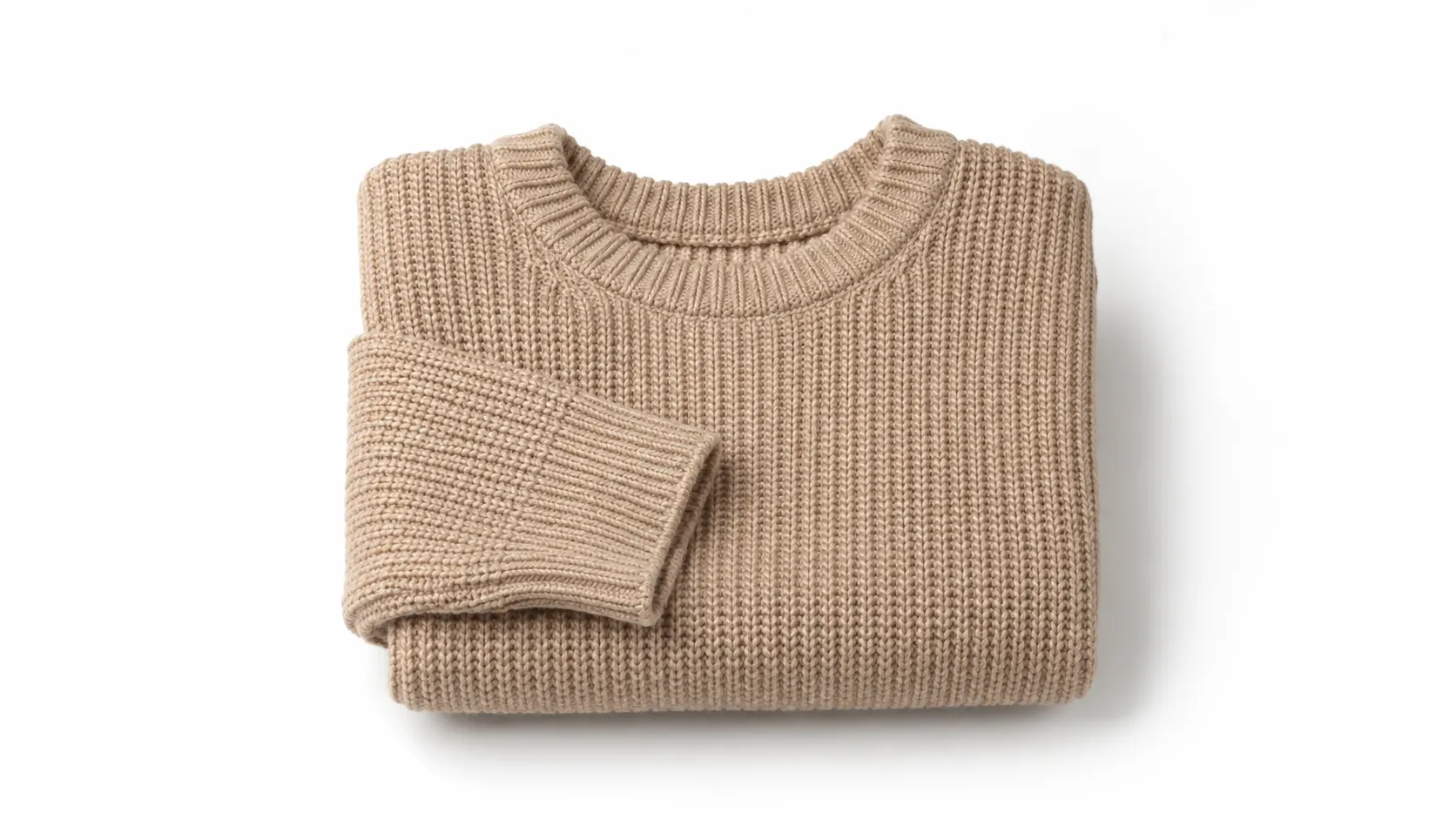
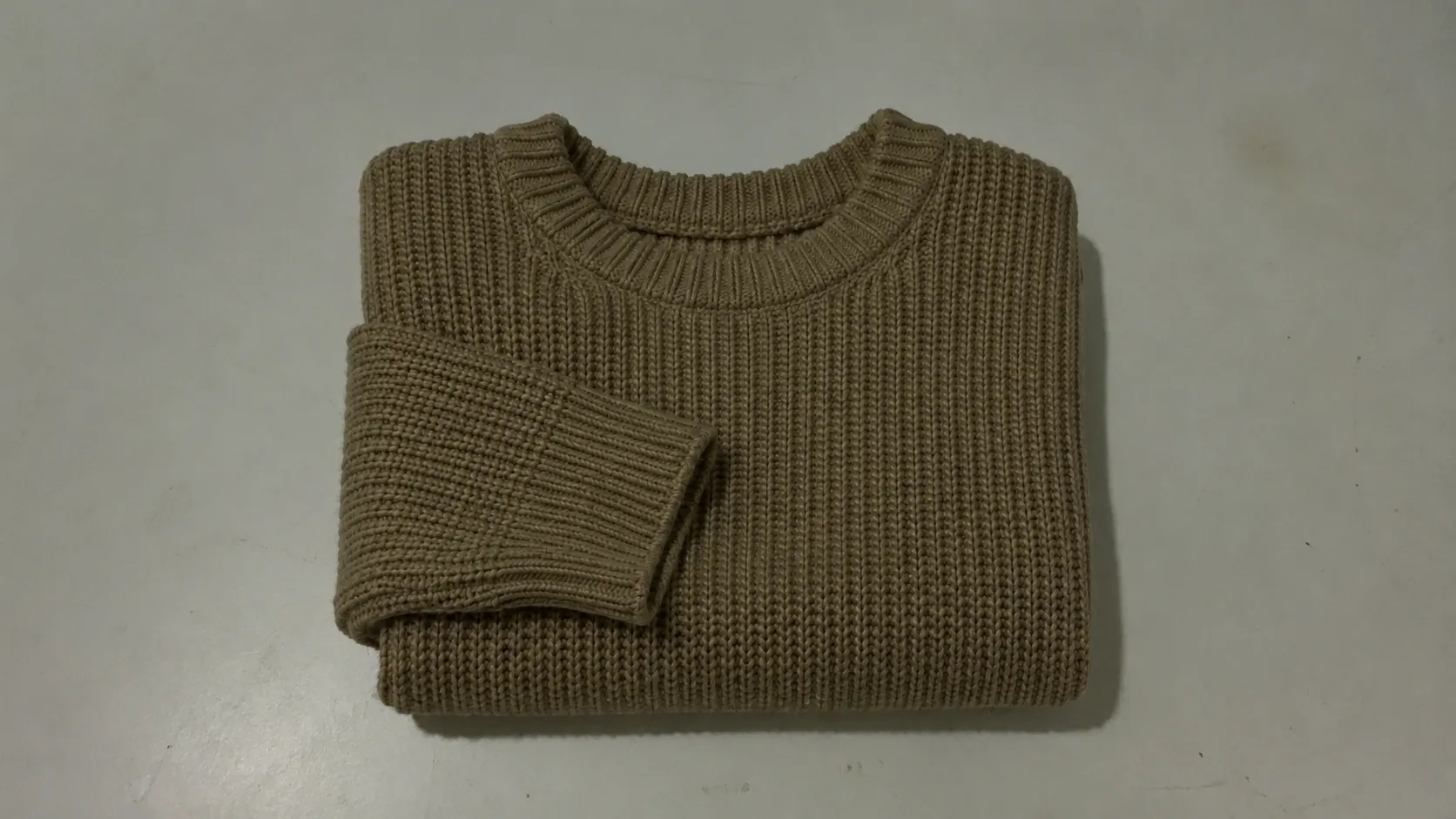
Created with the support of AI technologies.
Why isn’t a raw shot enough?
A raw file is the data the sensor recorded; nobody has prepared it for viewing yet. Typically, it lacks:
- Exposure balance — the product either sits in shadow or the shiny surfaces blow out.
- Color fidelity — ambient light casts a yellow or blue tint on the fabric.
- Background cleanliness — dust, shadow marks, seams in the backdrop.
- Size and ratio — the dimensions and framing the marketplace asks for.
None of this is “beautifying”; it is the work of showing the product correctly.
Where is the line?
The line between legitimate editing and the point where trust starts to erode is clear:
Legitimate editing
- Exposure and light balance
- White balance set to the true color
- Background and dust cleanup
- Platform size and ratio
- Texture and detail clarity
Loss of trust
- Showing a color the product doesn’t have
- Erasing a flaw or a stitching error
- Showing the product at a different scale
- Adding an accessory that isn’t there
Showing a color the product doesn’t have, erasing a flaw, or presenting the product at a different scale can bring clicks in the short run, but in our experience it drives returns up and review scores down. Trust, once lost, is not won back with an image.
Can phone photos be rescued?
Partly. Exposure, color and background can largely be corrected. But there are three things editing cannot bring back:
- Missed focus — sharpness can’t be created afterward.
- Wrong framing — cropping isn’t always the answer; the product shrinks.
- Wrong light direction — if texture and volume are gone, they don’t come back.
That is why the first condition for a good result is good raw data; editing works on top of it. For how to set up phone shooting correctly from the start — light, background, distance, framing — and how the frame looks in a WhatsApp storefront, see our WhatsApp catalog images guide.
How do you serve several platforms from one shoot?
The main image is often shared, but size, ratio and background rules vary from platform to platform. The right method isn’t reshooting for each platform; it is producing platform-specific outputs from a single publish-ready source. We cover these requirements in detail in our Trendyol image rules and Amazon image requirements articles.
Frequently Asked Questions
What is the difference between a raw shot and a publish-ready image?
A raw shot is the data the sensor recorded; light balance, color fidelity and background cleanup have not been handled yet. In a publish-ready image the exposure is balanced, white balance is corrected to the product’s true color, the background is cleaned, and the size and ratio the marketplace asks for are applied. The product itself does not change.
Doesn’t editing make the product look different from what it is?
Done properly, editing doesn’t change the product; it shows it accurately. The aim is to make the fabric’s true color, texture and stitching visible on screen. Showing a color the product doesn’t have, or erasing a flaw, leads to returns and lost trust, so the line is clear.
Can a photo taken with a phone be rescued?
Partly. Exposure, color and background can be corrected, but editing cannot bring back missed focus, wrong framing, or a light direction that has completely lost the product’s texture. Sharpness can’t be created afterward, and cropping isn’t always the answer, because the product shrinks. The better the raw data, the better the result.
Do I need a separate image for each marketplace?
The main image is often shared, but size, ratio and background rules vary from platform to platform. That is why platform-specific outputs are produced from a single publish-ready source; the product isn’t reshot for each platform. Our Trendyol and Amazon image requirement articles cover each platform’s rules in detail.
Can AI do this job on its own?
Automated tools speed up repetitive work such as exposure and background cleanup. But a human still decides whether the color stays true to the product, whether the texture is preserved, and whether the result meets the platform’s rules. Speed comes from automation; accuracy comes from review.
Visual production from one source
We run the process end to end, from product shooting to marketplace-ready output. You can browse our visual production services for e-commerce and fashion or read our article on why AI alone isn’t enough.